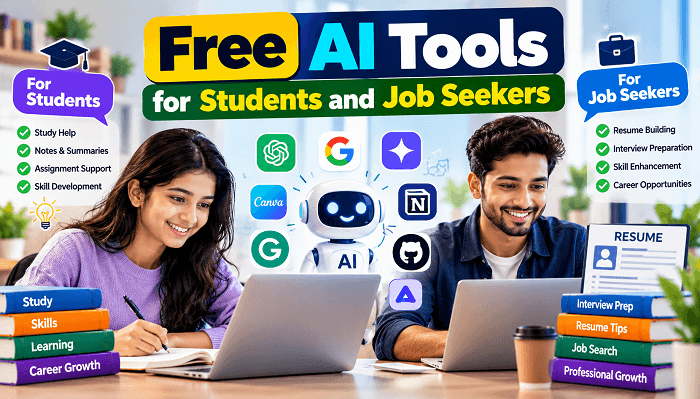
Artificial intelligence is changing how people learn, develop skills, and prepare for employment. Students can use AI to understand difficult subjects, organize assignments, and practise new skills. Job seekers can use it to improve their resumes, prepare for interviews, and discover ways to present their experience more effectively.
The good news is that you do not always need an expensive subscription to get started. Many platforms offer free plans, limited free access, or useful tools that can help with everyday tasks. Choosing the right free AI tools for students can save time while helping learners become more independent.
However, AI is not a replacement for studying, practical experience, or professional judgment. The best results come from using it as a learning assistant rather than accepting every answer without checking it.
This guide explores useful AI tools for students and job seekers, explains how to use them, and shares practical tips for getting better results without overspending.
Why Free AI Tools for Students and Job Seekers Matter
Students and job seekers often face similar challenges: limited time, a need to learn new skills, and pressure to produce quality work.
AI tools can help break large tasks into manageable steps. For example, a college student preparing for an examination can request a topic-wise revision plan. A fresher applying for a software development role can practise technical interview questions and identify gaps in their knowledge.
These tools can support:
- Understanding difficult topics through simpler explanations
- Creating revision notes, quizzes, and study schedules
- Improving grammar, writing clarity, and communication
- Preparing resumes and cover letters
- Practising interview questions and answers
- Learning coding, data analysis, and other job-related skills
The key is to select tools according to your goal instead of signing up for every AI platform you encounter.
Best Free AI Tools for Students
Different tools work best for different tasks. The following options have free access or free-tier features, although usage limits and availability may change.
1. ChatGPT — Learning and Study Assistance
ChatGPT can explain concepts, generate practice questions, summarize material you provide, and help you plan your studies.
For example, a student learning PHP can ask for a beginner-friendly explanation of Laravel routing, followed by a practical coding exercise. You can also request examples in simple English or ask for an explanation in Hindi.
Best for: Study planning, concept explanations, brainstorming, coding practice, and revision.
2. Google Gemini — Research and Idea Development
Google Gemini can help brainstorm project ideas, explain concepts, organize information, and assist with writing tasks. Depending on the available features, it may also help you work with supported Google services.
A student preparing a presentation could use it to develop an outline, suggest discussion questions, and identify areas that need further research.
Best for: Brainstorming, learning support, outlining, and organizing ideas.
3. NotebookLM — Understanding Study Materials
NotebookLM is useful when you have several documents to study. You can provide supported source materials and ask questions about their contents, helping you focus on specific topics rather than searching through every page manually.
For example, a student preparing for a competitive examination could use their notes to generate revision questions and identify important concepts.
Best for: Document-based learning, revision, and understanding supplied materials.
4. Grammarly — Writing Improvement
Grammarly can help identify grammar issues, improve clarity, and make professional writing easier to read. Its free features can be useful for assignments, emails, and job applications.
Use its suggestions to learn from your mistakes rather than accepting every change automatically.
Best for: Grammar, proofreading, and professional communication.
Free AI Tools for Job Seekers
Finding a job requires more than submitting applications. You need to communicate your skills clearly, prepare for interviews, and understand what employers expect.
AI can make this process more structured, particularly for freshers and people changing careers.
1. Canva — Resume and Portfolio Design
Canva offers design tools and templates that can help you create a resume, portfolio, or professional presentation. Some AI-powered features are available subject to plan limits.
Choose a clean, readable resume format and prioritize relevant skills and achievements over decorative graphics.
Best for: Resume layout, portfolios, and job application presentations.
2. Microsoft Copilot — Writing and Preparation
Microsoft Copilot can assist with brainstorming, drafting professional messages, explaining concepts, and practising interview questions. Available features depend on your account, region, and plan.
For example, you can ask it to generate interview questions for a customer support role and then practise answering them one at a time.
Best for: Interview preparation, communication, and workplace learning.
3. GitHub Copilot — Coding Practice
For students and job seekers pursuing software development, GitHub Copilot can provide AI-assisted coding suggestions in supported development environments. Its free access is subject to eligibility and usage limits.
Use coding assistants to understand suggested solutions, test your code, and learn why a particular approach works. Do not rely on generated code without reviewing it.
Best for: Programming practice, code completion, and learning software development workflows.
How to Use Free AI Tools for Students Effectively
Access to an AI tool is only the beginning. Your instructions determine how useful its response will be.
Create Better Prompts
Instead of typing, “Teach me JavaScript,” provide a clear goal and your current skill level.
For example:
“Act as a JavaScript tutor. I am a beginner. Explain arrays using three simple examples, give me five practice questions, and provide the answers separately.”
For job preparation, try:
“Act as an interviewer for an entry-level Laravel developer role. Ask one question at a time, wait for my answer, and explain how I can improve it.”
These prompts establish the context, expected format, and level of difficulty. You can use the same approach with most general-purpose AI assistants.
Common Mistakes to Avoid When Using AI
AI can be helpful, but careless use can create problems.
Submitting AI-generated assignments without understanding them: Read, verify, and rewrite material in your own words. Follow your institution’s rules on AI assistance.
Trusting every answer: AI may produce inaccurate facts, outdated information, fabricated references, or incorrect code. Verify important claims using reliable sources and test technical solutions.
Using the same resume for every job: Tailor your resume to the role, emphasizing relevant skills and genuine achievements. Never invent qualifications or experience.
Sharing personal information: Avoid uploading passwords, identity documents, confidential employer information, or sensitive personal data.
Ignoring free-plan limits: Some tools restrict messages, file uploads, advanced features, or monthly usage. Check the current terms before building an important workflow around a particular feature.
A Simple Daily AI Learning Routine
You can begin with a practical routine without paying for multiple subscriptions.
- 30 minutes: Learn one new concept using an AI tutor.
- 20 minutes: Complete exercises without copying the suggested answers.
- 20 minutes: Improve a resume, portfolio, or professional communication skill.
- 20 minutes: Practise interview questions or work on a small project.
- 10 minutes: Review what you learned and note any mistakes.
Adjust the schedule according to your classes, job search, and available time. Consistent practice and real projects are more valuable than simply collecting AI-generated notes.
Conclusion
The right free AI tools for students can make learning more manageable, improve communication, and help job seekers prepare for employment with greater confidence. Tools such as ChatGPT, Gemini, NotebookLM, Grammarly, Canva, Microsoft Copilot, and GitHub Copilot can support different tasks, depending on their current free features and usage limits.
Start with one tool that solves your biggest problem. Use it to learn, practise, and improve your work, but verify important information and develop your own skills along the way.
Ready to get started? Choose a tool from this guide today, set one clear learning or career goal, and spend the next seven days using it consistently. Your progress will depend less on the number of tools you use and more on what you learn to do with them.